VSCode DevContainer - CI/CD ์คํฐ๋ 1์ฃผ์ฐจ
- kkumtree
2025-10-19T20:50:46+09:00
ํ๊ฐ์ ์ฐํด์ ๋๊ณผ ํจ๊ป, CloudNet@์์ ์งํํ๊ณ ์๋ CI/CD Study์ ์ฐธ์ฌํ๊ฒ ๋์์ต๋๋ค.
์ด๋ฒ์๋ ํธ์ฆ์จ์ฉ์ผ๋ก ์ฆ๊ฒจ์ฐ๋ GitHub CodeSpace์ ์ฐ๊ด๋,
Visual Studio ์์์์ Dev Containers ํ์ฉ์ ๋ํด ๋ค๋ค๋ณด๊ณ ์ ํฉ๋๋ค.
์ฌ์ฉ OSํ๊ฒฝ์ Ubuntu Desktop 24.04 LTS ์ด๋ฉฐ,
์๋์ ๋ฌธ์์์ ์๋ด๋๋๋ก ์ฐจ๊ทผ์ฐจ๊ทผ ๋ฐ๋ผํด๋ณด๋ฉฐ ์ข ๋ ์ดํด๋ฅผ ํด๋ณด๊ณ ์ ํฉ๋๋ค.
0. Docker ์ค์น
๋ด์ฉ์ด ๊ธธ์ด, ์๋์ ํฌ์คํธ๋ก ๋๋์์ต๋๋ค.
- Ubuntu Docker ์ค์น
- ์์ฑ ๊ธฐ์ค, Dev Container๋ Ubuntu Snap ํจํค์ง(snapcraft)๋ก ์ค์น๋ Docker์๋ ์ง์๋์ง ์๋๋ค๊ณ ํฉ๋๋ค.
- ์ฌ์ฉ์(
$USER)๋ฅผdocker๊ทธ๋ฃน์ ์ถ๊ฐํ์ฌ์ผํฉ๋๋ค.
(์ ๊ฒ์๋ฌผ์3. ๊ถํ ์์น ์ค์ (์ ํ)์ฐธ๊ณ )
1. Dev Containers ํ์ฅ ํ๋ก๊ทธ๋จ
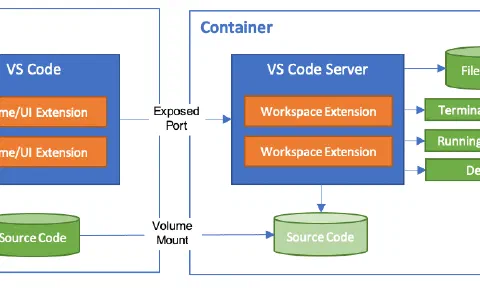
Visual Studio Code(์ดํ, VSCode)์์ ์ ๊ณต๋๋, Dev Containers ํ์ฅ ํ๋ก๊ทธ๋จ์ ์ฌ์ฉํ๋ฉด, ๊ฐ๋ฐ ํ๊ฒฝ์ ํ์ํ ๋ชจ๋ ๊ธฐ๋ฅ์ด ๊ฐ์ถฐ์ง Container๋ฅผ ๊ตฌ์ถํ์ฌ ํ๊ฒฝ์ ๊ตฌ์ฑํ ์ ์์ต๋๋ค.
Ubuntu Docker ์ค์น
- kkumtree
2025-10-17T20:53:27+09:00
Docker ์ฌ์ฉ์ ์ํ ๊ธฐ๋ณธ์ ์ธ ์ค์น ๋ฐฉ๋ฒ ๋ฉ๋ชจ
0. ์ด์ ๋ฒ์ ์ ๊ฑฐ (์ ํ)
- ์งํ ์ค์ธ Docker ๊ด๋ จ ์์ ์ด ์์ด, prune ๋ช ๋ น์ด๋ฅผ ํตํด ๊ธฐ์กด Docker์ ๋ฆฌ์์ค๋ค์ ์ญ์ ์งํํ์์ต๋๋ค.
docker system prune -a

- ๊ณต์ ๋ฌธ์์ ๋ฐ๋ผ, ์๋ ์ปค๋งจ๋๋ก ์ญ์ ๋ฅผ ์งํํฉ๋๋ค.
(๊ฒธ์ฌ๊ฒธ์ฌ
autoremove๋ ์งํํฉ๋๋ค.)
for pkg in docker.io docker-doc docker-compose docker-compose-v2 podman-docker containerd runc; do sudo apt-get remove $pkg; done
sudo apt-get autoremove
# โฏ for pkg in docker.io docker-doc docker-compose docker-compose-v2 podman-docker containerd runc; do sudo apt-get remove $pkg; done
# [sudo] password for kkumtree:
# Reading package lists... Done
# Building dependency tree... Done
# Reading state information... Done
# The following packages were automatically installed and are no longer required:
# bridge-utils containerd pigz runc ubuntu-fan
# Use 'sudo apt autoremove' to remove them.
# The following packages will be REMOVED:
# docker.io
# 0 upgraded, 0 newly installed, 1 to remove and 0 not upgraded.
# After this operation, 126 MB disk space will be freed.
# Do you want to continue? [Y/n] Y
# (Reading database ... 465886 files and directories currently installed.)
# Removing docker.io (27.5.1-0ubuntu3~24.04.2) ...
# '/usr/share/docker.io/contrib/nuke-graph-directory.sh' -> '/var/lib/docker/nuke-graph-directory.sh'
# Stopping 'docker.service', but its triggering units are still active:
# docker.socket
# Processing triggers for man-db (2.12.0-4build2) ...
# (...)
# Removing containerd (1.7.28-0ubuntu1~24.04.1) ...
# Processing triggers for man-db (2.12.0-4build2) ...
# Reading package lists... Done
# Building dependency tree... Done
# Reading state information... Done
# The following packages were automatically installed and are no longer required:
# bridge-utils pigz ubuntu-fan
# Use 'sudo apt autoremove' to remove them.
# The following packages will be REMOVED:
# runc
# 0 upgraded, 0 newly installed, 1 to remove and 0 not upgraded.
# After this operation, 34.3 MB disk space will be freed.
# Do you want to continue? [Y/n] Y
# (Reading database ... 465640 files and directories currently installed.)
# Removing runc (1.3.0-0ubuntu2~24.04.1) ...
# Processing triggers for man-db (2.12.0-4build2) ...
# โฏ sudo apt-get autoremove
# Reading package lists... Done
# Building dependency tree... Done
# Reading state information... Done
# The following packages will be REMOVED:
# bridge-utils pigz ubuntu-fan
# 0 upgraded, 0 newly installed, 3 to remove and 0 not upgraded.
# After this operation, 421 kB disk space will be freed.
# Do you want to continue? [Y/n] Y
# (Reading database ... 465612 files and directories currently installed.)
# Removing ubuntu-fan (0.12.16+24.04.1) ...
# ubuntu-fan: removing default /etc/network/fan configuration
# Removing bridge-utils (1.7.1-1ubuntu2) ...
# Removing pigz (2.8-1) ...
# Processing triggers for man-db (2.12.0-4build2) ...
1. Docker ๊ณต์ GPG key์ APT ๋ ํฌ์งํ ๋ฆฌ ์ถ๊ฐ
# Add Docker's official GPG key:
sudo apt-get update
sudo apt-get install ca-certificates curl
sudo install -m 0755 -d /etc/apt/keyrings
sudo curl -fsSL https://download.docker.com/linux/ubuntu/gpg -o /etc/apt/keyrings/docker.asc
sudo chmod a+r /etc/apt/keyrings/docker.asc
# Add the repository to Apt sources:
echo \
"deb [arch=$(dpkg --print-architecture) signed-by=/etc/apt/keyrings/docker.asc] https://download.docker.com/linux/ubuntu \
$(. /etc/os-release && echo "${UBUNTU_CODENAME:-$VERSION_CODENAME}") stable" | \
sudo tee /etc/apt/sources.list.d/docker.list > /dev/null
sudo apt-get update

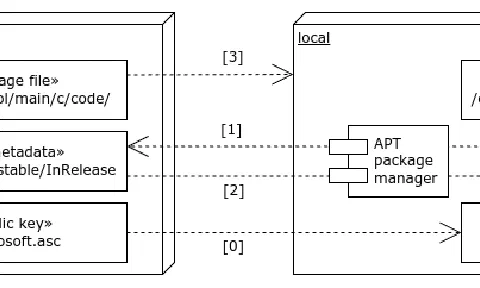
How to manage Microsoft packages with APT manager
- kkumtree
2025-03-02T22:31:49+09:00
Microsoft gave us a lot of programs as Ubuntu/Debian packages.
In this post, I will show you how to manage Edge and VSCode packages with APT package manager.
APT is stands for
Advanced Package Tool.
Why?
Simple. I want to upgrade them easily with APT package manager rather than using dpkg command.
sudo apt-get update -y && sudo apt-get upgrade -y
When I installed Microsoft Edge and Visual Studio Code, I used dpkg command.
But, It is little burdensome to manage packages with dpkg command in Update/Upgrade.
Ubuntu์ OBS Studio ์ค์นํ๊ธฐ
- kkumtree
2024-11-11T20:59:03+09:00
๋ญ๊ฐ ๋ด๊ฐ ์๋ ค์ค์ผํ๋๋ฐ, ๊ธ๋ก ์ฐ๊ธฐ ์ซ์ ๊ทธ๋ฐ ๋ ์ด ์๋ค.
๊ทธ๋์ ์๋ OBS Studio.
Ubuntu๋ 22.04 LTS (Jammy Jellyfish) ์ดํ๋ถํฐ๋ OBS Studio๋ฅผ APT repository๋ฅผ ํตํด ์ค์น๋ฅผ ํ ์ ์๋ค๊ณ ํ์ฌ, ๋์ .
- Installation: https://obsproject.com/download
sudo add-apt-repository ppa:obsproject/obs-studio
sudo apt update
sudo apt install ffmpeg obs-studio
์๊ฐ๋ณด๋ค ์ค๋ ๊ฑธ๋ฆฐ๋ค.
sudo add-apt-repository ppa:obsproject/obs-studio
# [sudo] password for kkumtree:
# Repository: 'Types: deb
# URIs: https://ppa.launchpadcontent.net/obsproject/obs-studio/ubuntu/
# Suites: noble
# Components: main
# '
# Description:
# Latest stable release of OBS Studio
# More info: https://launchpad.net/~obsproject/+archive/ubuntu/obs-studio
# Adding repository.
# Press [ENTER] to continue or Ctrl-c to cancel.
# Hit:1 https://packages.microsoft.com/repos/edge stable InRelease
# Hit:3 https://baltocdn.com/helm/stable/debian all InRelease
# Hit:2 https://prod-cdn.packages.k8s.io/repositories/isv:/kubernetes:/core:/stable:/v1.31/deb InRelease
# Hit:4 http://security.ubuntu.com/ubuntu noble-security InRelease
# Hit:5 https://ppa.launchpadcontent.net/graphics-drivers/ppa/ubuntu noble InRelease
# Hit:6 https://esm.ubuntu.com/apps/ubuntu noble-apps-security InRelease
# Hit:7 https://esm.ubuntu.com/apps/ubuntu noble-apps-updates InRelease
# Hit:8 https://esm.ubuntu.com/infra/ubuntu noble-infra-security InRelease
# Get:9 https://ppa.launchpadcontent.net/obsproject/obs-studio/ubuntu noble InRelease [17.8 kB]
# Hit:10 https://esm.ubuntu.com/infra/ubuntu noble-infra-updates InRelease
# Get:11 https://ppa.launchpadcontent.net/obsproject/obs-studio/ubuntu noble/main amd64 Packages [1,168 B]
# Get:12 https://ppa.launchpadcontent.net/obsproject/obs-studio/ubuntu noble/main Translation-en [160 B]
# Hit:13 http://kr.archive.ubuntu.com/ubuntu noble InRelease
# Hit:14 http://kr.archive.ubuntu.com/ubuntu noble-updates InRelease
# Hit:15 http://kr.archive.ubuntu.com/ubuntu noble-backports InRelease
# Fetched 19.1 kB in 3s (6,126 B/s)
# Reading package lists... Done
์ด๋ฏธ ์ ๋ฐ์ดํธ๊ฐ ๋ ๋๋์ด๊ธด ํ๋ฐ, ํ๋ฒ ๋ ํ๋ผ๋๊น ํฉ๋๋ค.
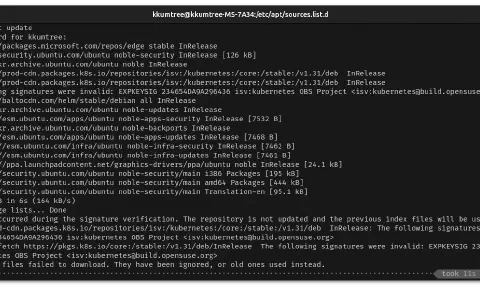
The following signatures were invalid: EXPKEYSIG
- kkumtree
2024-11-04T21:24:49+09:00
๋งค๋ฒ ์์ ํ๊ธฐ ๊ท์ฐฎ์์, ๋์ค์ ์ฐพ์์ ์ฐ๋ ค๊ณ ๋์ ์ด๋ ๋ฉ๋ชจ
๋ณดํต GPGํค ์ง์ฐ๊ณ ๋ค์ ๋ฐ์ผ๋ฉด ๋๋ค.
๊ทธ๋ฐ ๋ ์ด ์๋ค. ๋ฌด์ฌ๊ฒฐ์ sudo apt-get update๋ฅผ ์คํํ๋ ์๊ฐ, ์๋ฌ๊ฐ ๋จ๋ ๋ .

W: An error occurred during the signature verification. The repository is not updated and the previous index files will be used. GPG error: https://prod-cdn.packages.k8s.io/repositories/isv:/kubernetes:/core:/stable:/v1.31/deb InRelease: The following signatures were invalid: EXPKEYSIG 234654DA9A296436 isv:kubernetes OBS Project <isv:[email protected]>
W: Failed to fetch https://pkgs.k8s.io/core:/stable:/v1.31/deb/InRelease The following signatures were invalid: EXPKEYSIG 234654DA9A296436 isv:kubernetes OBS Project <isv:[email protected]>
W: Some index files failed to download. They have been ignored, or old ones used instead.
Zorin OS๋ก ์ฒ์ ์ ๋ฌธํ ๋๋ ์ด๊ฑฐ ๋ง์ฃผ์น๋ฉด ๋ฒํฐ๋ค ๋ฒํฐ๋ค ํฌ๋งทํ๋๋ฐ, ์ด์ ๋ ๋ญ… ์ด๋์ ํค ๋ง๋ฃ๋๋๋ณด๋ค ํ๊ณ ๊ทธ๋ ค๋ ค๋ ํ๋ค. =ใ =);
SAML for using Amazon Managed Grafana Workspace (To-Do)
- kkumtree
2024-11-02T21:43:00+09:00
Organization์ ์ด์๊ฐ ์์ด
Amazon Managed Grafana Workspace๋ฅผ ์ฌ์ฉํ๋ ค๋ฉด SAML ์ธ์ฆ์ ๊ตฌ์ฑํด์ผํ๋๋ฐ, SAML ์ธ์ฆ ์ ์ด๊ฐ ๋๋ฉด ๊ฒํ ํด๋ณด๊ฒ ์ต๋๋ค.
๋น์ฐํ ๊ฑฐ์ 4๋ ์ด ๋ค๋๊ฐ๋ Amazon Managed Grafana โ Getting Started์๋ ๋ค๋ฅธ ์ธํฐํ์ด์ค๋ฅผ ํ์ธํ ์ ์์์ต๋๋ค.
ํ์ฌ ์ ๊ถํ์ผ๋ก๋ Organization์ ์์ฑํ ์ ์์ด์, Workspace๋ง ์์ฑํด๋ณด์์ต๋๋ค.
์ฆ, ๋งค์ฐ ๋์จํ ๊ถํ์ผ๋ก Workspace๋ฅผ ๋ง๋ค์ด์ฃผ๊ฒ ๋ค ์ด๊ฒ์
๋๋ค.
1. ‘๋ธ๊น’์ผ๋ก ์์ํ๊ธฐ
- Getting Started with
๋ธ๊น

- ์ด๋ฆ๋ง ์ง๊ณ , ๋์ด๊ฐ ๋ณด๊ฒ ์ต๋๋ค.

Monitoring CoreDNS in EKS with Grafana Cloud
- kkumtree
2024-10-30T23:44:01+09:00
Grafana Cloud ์ฒซ ์ฌ์ฉ๊ธฐ
CloudNet@์์ ์งํํ๊ณ ์๋ K8s Advanced Network Study(์ดํ, KANS)๋ฅผ ํตํด ํ์ตํ ๋ด์ฉ์ ์ ๋ฆฌํฉ๋๋ค.
์ด๋ฒ ์ฃผ์ฐจ๋ ์ค๊ฐ์ด ์์ง ์๋๋๋ฐ, ์คํฐ๋ ๋ง์ง๋ง ์ฃผ์ฐจ์
๋๋ค.
๊ทธ๋์ ์ฌ๋ฌ๋ถ์ด ์ ์๊ณ , ๋งค์ฐ ์ข์ํ๋ EKS๋ฅผ ํตํด, CoreDNS ์ด์๋ฅผ ๋ชจ๋ํฐ๋งํ๋ Hands-on์ ์ฐจ๊ทผ์ฐจ๊ทผ ๋ฐ๋ผํด๋ณด๋ ค๊ณ ํฉ๋๋ค.
์์ Blog๋ฅผ ๊ทธ๋๋ก ๋ฐ๋ผํด๋ณผ ๊ฒ๋๋ค.
0. EKS Cluster ์์ฑ
์คํฐ๋์์ ์ ๊ณต๋ CloudFormation์ ํตํด EKS Cluster๋ฅผ ์์ฑํด๋ณผ๊นํฉ๋๋ค.
eksctl์ด ์ธ๊ธ๋์ด ์์ด์ ์ ์ง… ๋์ค์ ๋กค๋ฐฑํ๊ณ ํ์ด๋ง์๋ถํฐ eksctl ๊ธฐ๋ฐ CloudFormation ๋ฐฐํฌ๋ฅผ ํ ๊ฒ ๊ฐ์ ๋ถ์ํจ์ด ์์ง๋ง ํด๋ณด์ฃ (?).
Kubernetes Service(5): Cillium Quick-start w/Hubble UI
- kkumtree
2024-10-26T01:35:59+09:00
๊ทธ๋ผ ๋งค๋ฒ ์คํจ๋ง ํ๋ Cilium ๋ฐฐํฌ๋ฅผ ํ๋ฒ ํด๋ณผ๊น์?
CloudNet@์์ ์งํํ๊ณ ์๋ K8s Advanced Network Study(์ดํ, KANS)๋ฅผ ํตํด ํ์ตํ ๋ด์ฉ์ ์ ๋ฆฌํฉ๋๋ค.
1. CSP VM ๊ณจ๋ผ๋ณด๊ธฐ
์ด๋ ๊ฒ ์ด ์ด์ ๋ ๊ฒฐ๊ตญ ๋คํธ์ํฌ๋ฅผ ์ ์์์ผํ๋๋ฐ,
์๋
์ ํ ๋๋ ๊ทธ๋ฐ๊ฑฐ ์๊ฐ๋ ์ํ๊ณ ๊ทธ๋ฅ ์ฌ๋ ค๋ณด๋ ค ํ์ผ๋ ๋น์ฐํ ์ ๋์๊ฐ๊ฒ ์ฃ ?
๊ทธ๋ฅ ๊ณฐ๊ณฐํ ์ค๋ฆฌduckduckgo๋ ํฌ๋ฅ๊ฑฐ๋ฆฌ๋ค๋ณด๋, ๋น๋ก ์ฐ์์ด ๋๊ธด ํ์ง๋ง
ํด๋ฆญ์ ์ํ๊ณ ๋ ๋ชป๋ฐฐ๊ธธ ์์ ๋ธ๋ก๊ทธ ์ ๋ชฉ์ด ๋์ ๋์์ต๋๋ค.
Why eBPF?
- kkumtree
2024-10-21T19:47:33+09:00
๊ณ ์ณ์ผํ ๋ถ๋ถ์ด
๋๋ฌด๋ง์์ ๋์ค์ ํด๋น ๋ถ๋ถ๋ง ๊ธ์ ์์ฑํ ์์ ์ ๋๋ค.
์ด๋๋ง ์ด๋ฒ ์คํฐ๋๋ ๋๋ง์ Cilium์ ๋ค๋ฃจ๊ธฐ ์์ํฉ๋๋ค.
Cilium์ ์ด๋ ๊ฒ๋ (์ ๋ฅผ ํฌํจํ) ๋ชจ?๋๊ฐ ์ด๊ดํ๋์ง ์์๋ณด๊ธฐ ์ ์
๊ทผ๊ฐ์ด ๋๋ eBPF๋ฅผ ๋จผ์ ๊ฐ๋ณ๊ฒ ์์๋ณด๊ณ ๊ฐ๋ คํฉ๋๋ค.
์ด ๋๋ ์ค๋ง ํ์ง๋ง, ์ญ์๋ ์ค๋ถ์ฌ ์๋ฉ์ด์๋ค
CloudNet@์์ ์งํํ๊ณ ์๋ K8s Advanced Network Study(์ดํ, KANS)๋ฅผ ํตํด ํ์ตํ ๋ด์ฉ์ ์ ๋ฆฌํฉ๋๋ค.
1. Linux Network Stack
์คํฐ๋ 1์ฃผ์ฐจ์ Jenkins ์ปจํ ์ด๋์์ Host์ Docker ๋ฐ๋ชฌ ์ฌ์ฉํ๊ธฐ์์ ๊ฐ๋ณ๊ฒ ๋ง์ ๋ณด๊ณ ๋๋ง์น๊ธฐ ๋ฐ๋นด์ง๋ง, ์ฌํผ ์๋์ ์ฌํญ์ ์ค์ณ์ง๋๊ฐ์ต๋๋ค.
Kubernetes Service(4): envoy config
- kkumtree
2024-10-19T16:59:16+09:00
์ ์ /๋์ ์ค์ ์ ์์๋ด
๋๋ค.
traefik์ ๋ง๋ณผ๋๋, ํธ๋๊ฒ ๋ฐ์ธ ๋ถ๋ถ์ธ๋ฐ envoy๋ ์๋์ ์ผ๋ก ๋ช
๋ฃํ์ต๋๋ค.
CloudNet@์์ ์งํํ๊ณ ์๋ K8s Advanced Network Study(์ดํ, KANS)๋ฅผ ํตํด ํ์ตํ ๋ด์ฉ์ ์ ๋ฆฌํฉ๋๋ค.
1. Static Configuration
์๋์ ๊ฐ์ด ๊ตฌ์ฑ๋ฉ๋๋ค.
- static_resources
- listeners
- clusters
(a) static_resources
envoy์ ์์๊ณผ ํจ๊ป, ์ ์ ์ผ๋ก ์ค์ ๋๋ ๋ชจ๋ ๋ฆฌ์์ค๋ฅผ ํฌํจํ๋ค๊ณ ํฉ๋๋ค.
์ค์ ๋ก envoy-demo.yaml ํ์ผ์ ์ด์ด๋ณด๋ฉด ์ต์๋จ์ static_resources์ด ์ ์ธ๋์ด ์์ต๋๋ค.
static_resources:
listeners:
(b) listeners
envoy-demo.yaml ํ์ผ ๊ธฐ์ค,
socket_address: ๋ฆฌ์ค๋๋ ํฌํธ 10000์์ ์์ ํ๋๋ก ์ค์ ๋์ด ์์ต๋๋ค.route_config: ๋ชจ๋ ๊ฒฝ๋ก์ ๋ํดservice_envoyproxy_ioํด๋ฌ์คํฐ๋ก ๋ผ์ฐํ ํฉ๋๋ค.
# cat envoy-demo.yaml | grep -A 30 -B 2 listeners
static_resources:
listeners:
- name: listener_0
address:
socket_address:
address: 0.0.0.0
port_value: 10000
filter_chains:
- filters:
- name: envoy.filters.network.http_connection_manager
typed_config:
"@type": type.googleapis.com/envoy.extensions.filters.network.http_connection_manager.v3.HttpConnectionManager
stat_prefix: ingress_http
access_log:
- name: envoy.access_loggers.stdout
typed_config:
"@type": type.googleapis.com/envoy.extensions.access_loggers.stream.v3.StdoutAccessLog
http_filters:
- name: envoy.filters.http.router
typed_config:
"@type": type.googleapis.com/envoy.extensions.filters.http.router.v3.Router
route_config:
name: local_route
virtual_hosts:
- name: local_service
domains: ["*"]
routes:
- match:
prefix: "/"
route:
host_rewrite_literal: www.envoyproxy.io
cluster: service_envoyproxy_io
(c) clusters
envoy-demo.yaml ํ์ผ ๊ธฐ์ค,